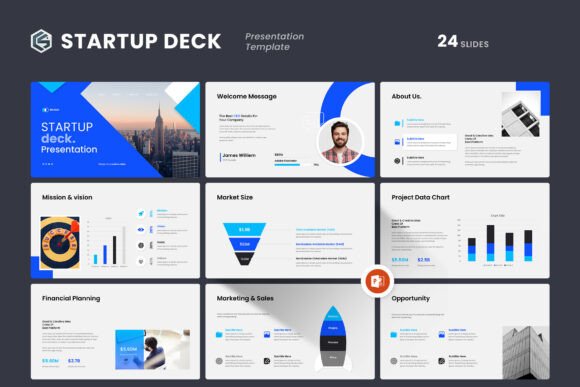
Startup Deck PowerPoint Template Overview
When you are preparing to pitch your business, present quarterly results, or onboard a new client, the quality of your slides can say as much as your data. A cluttered layout or mismatched colors can distract from your message. The Startup Deck PowerPoint Template offers a clean, contemporary foundation that helps you focus on what matters: your content. Designed for professionals who need to move fast without sacrificing appearance, this template gives you a full toolbox of slide types, visual elements, and customization options. Whether you are a solo entrepreneur or part of a larger marketing team, having a reliable deck template saves hours of formatting and lets you concentrate on storytelling.
What Makes This Template Stand Out
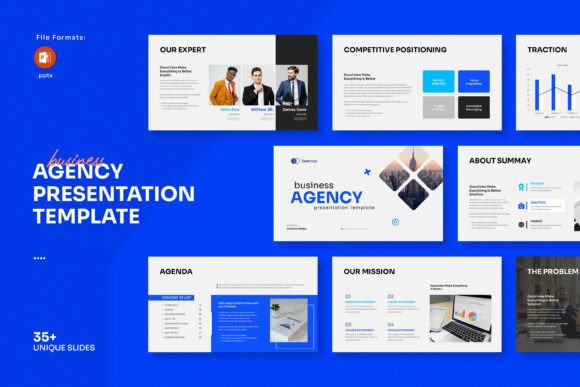
The Startup Deck PowerPoint Template is built around simplicity and power. You get 24 slides in total, each designed with a 16:9 Full HD ratio (1920x1080px), so your presentations look sharp on any modern screen. Master slide layouts are included, which means you can apply consistent styling across your entire deck with one click. The theme color is easy to adjust, and everything is fully editable. You can drag and drop your images directly into the placeholders without fiddling with cropping or resizing. This real-world convenience matters when you are under deadline pressure.
Another notable strength is cross-platform compatibility. The template works on both Apple and Windows systems, which is essential for teams that mix operating systems. You also get vector icons, infographics, tables, and diagrams that help you visualize data without needing to design from scratch. The free font link is provided in the help file, so you can match the intended typography right away. These features collectively reduce the friction between having an idea and putting it on screen.
Slide Variety and Layout Flexibility
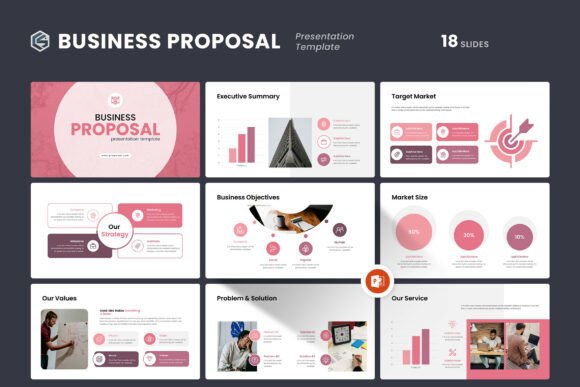
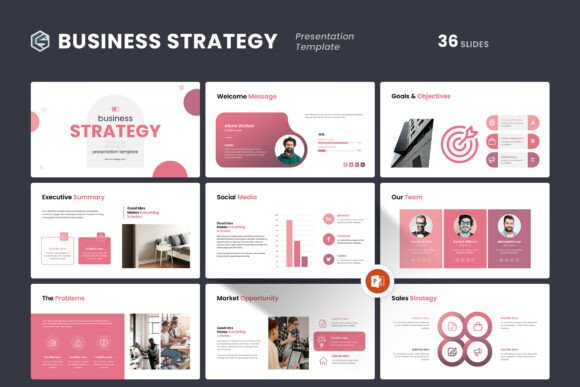
With 24 slides, you are not locked into a rigid structure. The template includes creative photo layouts, comparison tables, timeline diagrams, and infographic elements that adapt to different presentation needs. For example, you can use a photo-centric layout to showcase your team or product images, then switch to a data-driven slide with charts and icons for your market analysis. This flexibility means one template can serve multiple purposes across your company, from investor pitches to internal strategy reviews. The master slides also ensure that any global change you make updates every slide automatically, which is a huge time-saver when you need to tweak colors or fonts late in the process.
Practical Applications Across Different Environments
The Startup Deck PowerPoint Template is versatile enough for a wide range of use cases. Here are some realistic scenarios where it can make a difference:
- Entrepreneurs and founders can use it to build an investor pitch deck that communicates traction, team background, and financial projections in a visually cohesive way. The infographics help simplify complex business models.
- Marketing professionals can adapt the slides for campaign recaps, client proposals, or social media strategy presentations. The clean layout keeps the focus on metrics and creative work.
- Educators and trainers can structure course materials or workshop decks that benefit from the template's consistent formatting and easy-to-read typography. Diagrams help illustrate processes or frameworks.
- Freelancers and consultants can create polished portfolio presentations or service overviews without hiring a designer. The drag-and-drop image feature makes it simple to swap in your own work samples.
- Corporate teams can use the template for quarterly business reviews, board updates, or project kickoffs. The professional appearance reinforces internal branding and credibility.
In digital and commercial settings, the template also works well for webinars, recorded presentations, and slide decks shared as PDFs. The Full HD resolution ensures clarity on large screens and projected displays.
Usability and Efficiency Benefits
One of the strongest points of this template is how it improves your workflow. Because the theme color is easy to modify, you can align the deck with your existing brand guidelines in minutes rather than hours. The drag-and-drop image placeholders remove the need to manually position and size every photo, which reduces visual inconsistencies. If you have ever spent twenty minutes aligning logos on different slides, you will appreciate how master slides enforce uniformity.
The included help file provides clear instructions, including the link to the free font used. This means you do not have to hunt for missing fonts or guess which typeface matches the design. The template also includes vector icons, which scale without losing quality, so your slides remain crisp whether viewed on a laptop or a 4K monitor. Combined with the diagram and chart elements, you can present data in a way that is both accurate and engaging. These efficiency gains allow you to dedicate more time to refining your message rather than wrestling with slide formatting.
Branding and Communication Impact
Consistent visual branding builds trust with your audience. When every slide shares the same color palette, typography, and layout logic, your presentation feels polished and intentional. The Startup Deck PowerPoint Template makes it easy to apply your logo and brand colors across all 24 slides through the master slide system. This consistency helps your audience focus on your narrative instead of being distracted by jarring style changes. The clean design also supports better communication: diagrams and infographics can replace walls of text, making your points easier to grasp quickly. For pitches and client meetings, where first impressions matter, a well-branded deck can subtly reinforce your professionalism.
Realistic Observations and Practical Considerations
Before you use any template, it is worth noting a few practical points. The demo images shown in the preview are not included, which is standard for most premium templates. You will need to supply your own photos, screenshots, or graphics. That said, the placeholder layouts are designed to work with a variety of image orientations, so you can adapt them to your existing assets. Also, while the template is fully editable, some users may need a few minutes to explore the master slide view if they plan to make global changes. The help file covers this, and the support team is available if you get stuck.
Another consideration is the slide count. 24 slides is ideal for a focused pitch or a concise company overview. If you need a very long presentation with 50 or more slides, you may want to duplicate and adapt certain layouts. The master slide structure makes duplication straightforward, but it is something to keep in mind depending on your presentation length. For most business, educational, and creative use cases, 24 slides provides enough variety to cover core content without overwhelming the audience.
Recommendations for Getting the Most Out of This Template
To maximize the value of the Startup Deck PowerPoint Template, start by defining your presentation's structure before you open the file. Outline your key sections and decide which layout type works best for each piece of content. Use the infographic slides for process explanations or data summaries, and reserve the photo layouts for team introductions or product showcases. Adjust the theme color to match your brand early in the process, so all subsequent slides inherit the change automatically. Take advantage of the vector icons to add visual cues that reinforce your message without adding clutter. Finally, run through your deck in slideshow mode to check that your images and text are well-positioned, especially after dragging and dropping new content.
If you need any help or have questions about the item, the template comes with free real support from a skilled designer. That kind of direct assistance is valuable, especially if you are working on a time-sensitive presentation. Simply reach out through the support channel provided in your purchase details.
Overall, this template offers a balanced mix of professional aesthetics and practical functionality. It respects your time by automating the repetitive parts of presentation design while giving you the creative control to make the deck your own. Whether you are preparing a startup pitch, a corporate update, or an educational workshop, the Startup Deck PowerPoint Template provides a reliable foundation that helps you present your work and your company profile at another level.